You must be 18 or older to go LIVE. If TikTok believes you are younger, it takes away your LIVE. First make your account public, then appeal within 180 days through the notification in the app and confirm your age with a selfie with your ID or with your credit card.
What is a TikTok age ban?
With an age ban or age restriction, TikTok removes a feature because it believes you are not old enough. There are two kinds:
- A feature removed: TikTok removes your access to features with a minimum age, including LIVE (18+), buying Coins (18+) and direct messages (16+). Your account stays. This is what creators usually get.
- Your whole account banned: when TikTok believes you are under 13. A separate procedure applies, see further in this guide.
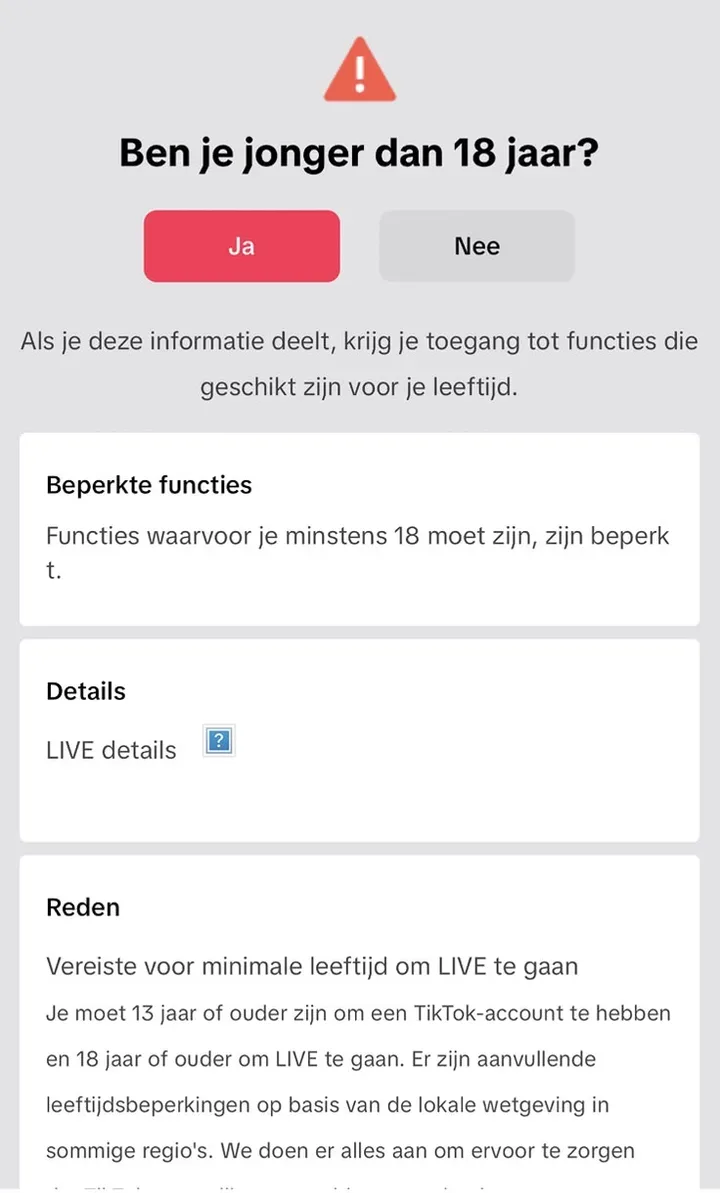
Why do you get an age ban when you are already 18?
TikTok uses technology that predicts which age range a person falls into. According to TikTok it looks at your profile, your device, your videos, who you interact with on TikTok and other activity in the app. If it predicts you are likely under 18, a specially trained moderator reviews your account.
In early 2026 TikTok announced it was rolling out this age detection further in Europe. An adult appearance or a real date of birth is no guarantee. In our experience, creators aged 18 and over also get age restrictions, sometimes more than once.
Got an age ban: what now? In 5 steps
Step 1. Make your account public
With an age restriction your account can end up set to private. As long as it is private, TikTok cannot properly review your account and your appeal gets stuck. Go to your profile, tap the menu at the top right, choose Settings and privacy, then Privacy, and turn off Private account. Do this before every new appeal too. This is our advice from experience.
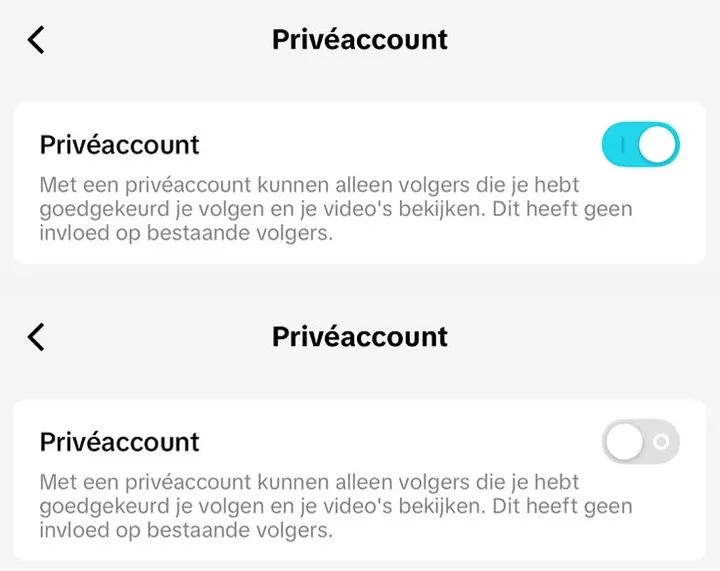
Step 2. Take screenshots
Take screenshots of the notification and note the date. If something goes wrong later, you will need them.
Step 3. Appeal in the app
You have 180 days from the day TikTok removed your access.
- Open the notification in the TikTok app.
- Tap Appeal.
- Follow the instructions.
Step 4. Confirm your age
Which options you get depends on your age and country. For people aged 18 or older, TikTok mentions among others:
- Selfie with ID: a photo of your ID and a selfie of you holding the same ID, together with a piece of paper with the unique code TikTok sends you. You may cover parts of your ID that you have a legal right to cover.
- Credit card: TikTok makes a small, temporary charge to check your card and refunds it.
If TikTok asks for your age when you start a LIVE, you can sometimes also choose ID with 3 selfies, a selfie with ID through its partner Incode, or an age estimate based on a selfie. With Incode you have 15 minutes. If you exit halfway, you have to wait 15 minutes.
Step 5. Wait for the result
According to TikTok support, most appeals are reviewed within 24 hours. Sometimes it takes a few business days. You get the result from TikTok.
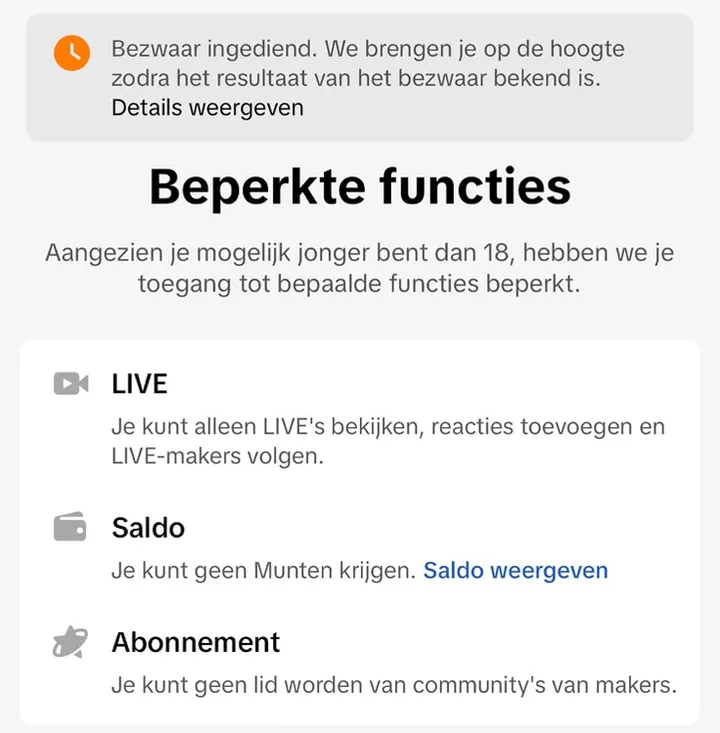
Your appeal is not working: what now?
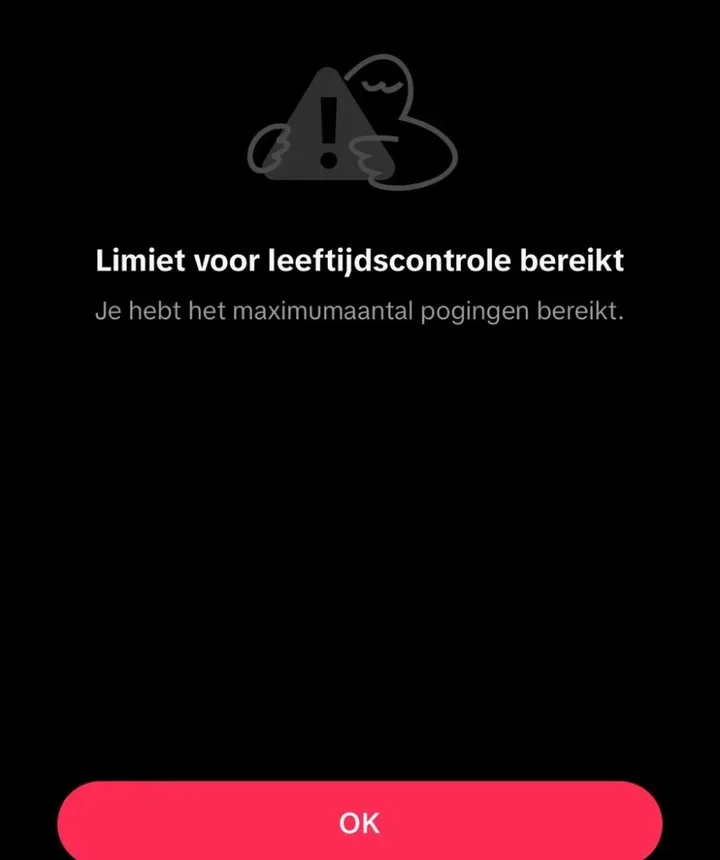
Not every appeal goes smoothly. In our experience creators sometimes get an error, or this message:
- Report it in the app. At the bottom of the help page in the app you find Need more help?. Submit a ticket there. Briefly describe what happens and add your screenshots.
- Do not create a new account to get around the restriction. According to TikTok that is a violation in itself.
- Appeals Centre Europe cannot help here. For regular bans in the EU you can go to that certified body (see our guide TikTok account banned). But according to its own FAQ it does not review decisions where you have to verify your identity, nor accounts removed because the holder is believed to be underage.
Your whole account is banned for being underage
If TikTok believes you are under 13, it bans your whole account. In the European Economic Area, the UK and Switzerland you then have 180 days to appeal and download your data, through the button in the notification. If your appeal is approved, your account comes back. If not, TikTok deletes your account on day 187.
What happens to your ID?
According to TikTok it only uses your information to confirm your age. As soon as the appeal is complete, TikTok starts deleting your selfies and photos of your ID. TikTok does not keep a copy of your ID. It does keep your date of birth, how you appealed and the result. If you use Incode, that partner keeps your data. You can ask Incode to delete it.
Can you prevent an age ban?
- Enter your real date of birth.
- Confirm your age when TikTok asks. According to TikTok it may not use its age technology on people who already provided an ID, for example for a monetization program or an earlier appeal. That is not a guarantee.
- Do not share your account with younger brothers, sisters or friends. TikTok also looks at your device and activity. This is our own advice.
- Never pay anyone who promises to lift your restriction, and never give your password or verification code. TikTok never asks for those.
How to confirm your age before you go LIVE is explained in how to go LIVE on TikTok.
How SPA helps you with this
Only for creators aged 18 or older.
Other guides
Sources
Official TikTok pages this guide is based on.